Feedback — Send Feedback to the Team
In the app: Overview › Feedback
Feedback is a form for sending a message to the Insights team without leaving the app: "Send feedback to the Insights team". It is shown for every project and does not depend on the project's data; it has no filters and no Report settings.
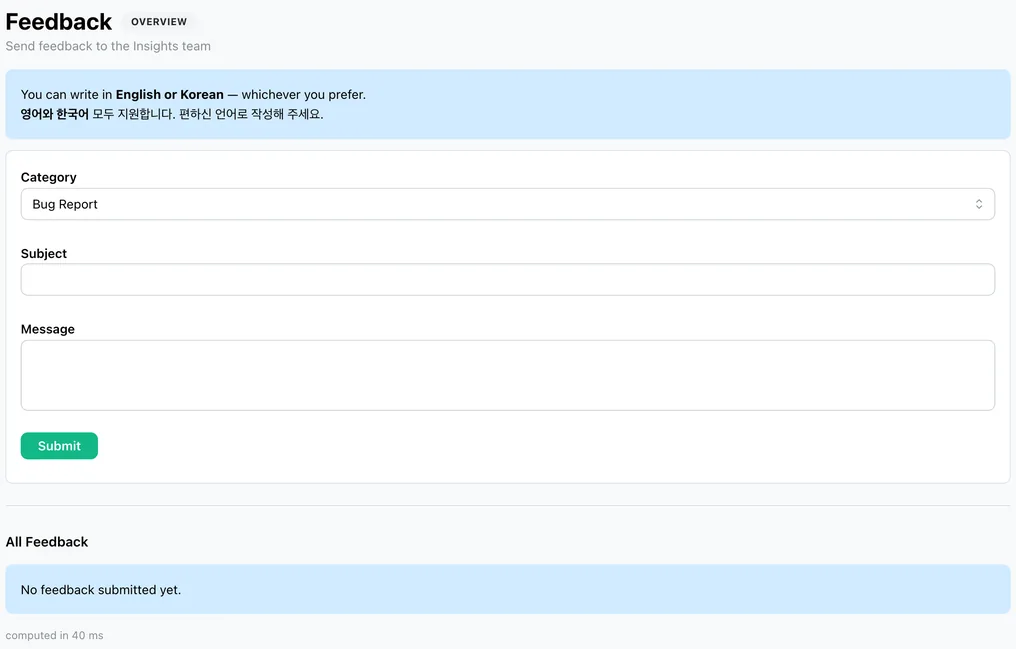
Example output from the sample project, as an administrator sees it (the All Feedback section is shown to administrators only).
A note at the top says you can write in English or Korean, whichever you prefer.
The form
Category
The kind of message. Options: Bug Report (the default), Feature Request, General Feedback, Question.
Subject
A short title, up to 200 characters. Required.
Message
The body of your feedback. Required.
Submit
Sends the feedback. If Subject or Message is empty the form says so ("Subject is required." / "Message is required.") and nothing is sent. On success it shows "Thank you! Your feedback has been submitted." and clears the form.
Your Past Feedback
Once you have sent feedback, a Your Past Feedback (N) expander lists your submissions with Date, Category, Subject, Message and Response. When the team has answered some of them, the label adds how many, for example "— 2 answered", and the answer is in the Response column.
All Feedback (administrators)
Administrators also see All Feedback: every user's submissions, a Filter by category selector, and a form to write a response to an item. With Email the user ticked, saving the response also emails it to the user who sent the feedback.
When to use it
Use Feedback whenever something does not work as expected, you would like a feature, or you have a question about a report. For account or sign-in problems, see Contact & Support.