AI Research
In the app: AI Research in the top bar
AI Research finds publicly available RNA-seq datasets on NCBI for an organism or topic, has AI read each dataset's experimental design and propose hypotheses you could test by re-analysing the data, and can start a new project from one of them. In the app's own words: Find public datasets for a hypothesis and turn one into a project.
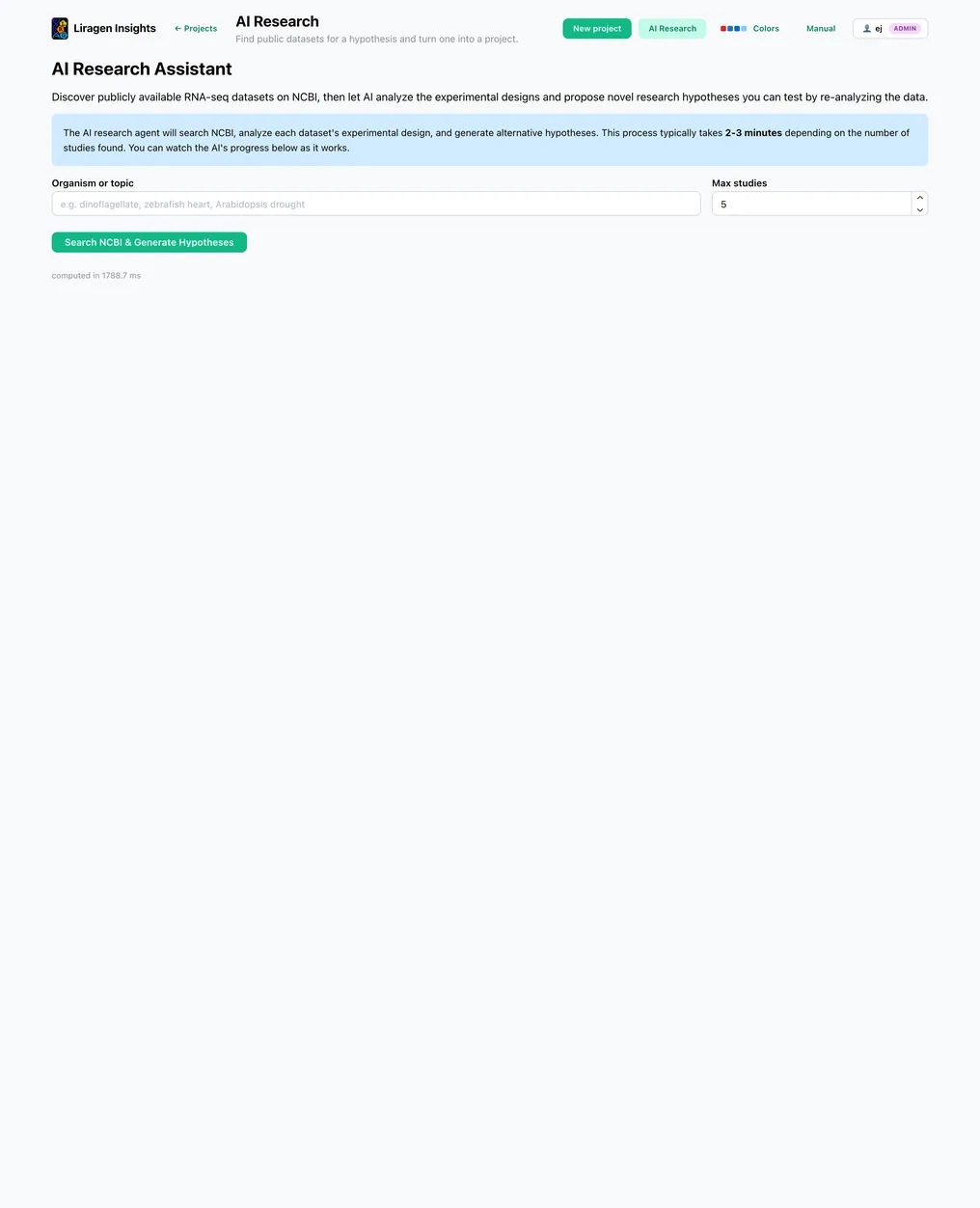
Running a search
The screen opens with AI Research Assistant and a note that the search typically takes 2-3 minutes depending on the number of studies found.
- Organism or topic — what to search for, for example dinoflagellate, zebrafish heart or Arabidopsis drought. As you type, a Did you mean: … line may suggest organism names.
- Max studies — how many studies to analyse, from 1 to 20 (default 5). More studies take longer.
Click Search NCBI & Generate Hypotheses. The button reads Searching... while it runs, and a progress panel (AI Research Agent is working...) shows each step: the NCBI SRA search, the number of studies and runs found, and the AI's analysis.
If nothing is found the panel says No datasets found on NCBI SRA. Try a different organism or topic. If the AI's answer is cut short, it suggests reducing Max studies.
The report
The result is a Dataset Analysis Report, with Download PDF at its top right. Each study is a section titled Study A: …, Study B: … with:
- BioProject, Samples and Platform;
- Organism and Design — the experimental design as the AI read it;
- Contrasts — a table of possible comparisons (ID, Name, Numerator, Denominator);
- Hypotheses — each with an ID, the hypothesis, its Strengths and Weaknesses, the Contrasts needed and the Approach.
Recommendations close the report.
Hypotheses are proposals generated by AI from the public metadata. Treat them as starting points to check, not findings.
Saved reports
Every completed report is saved to your account. When you have saved reports, My Saved Reports (N) at the top of the screen lists them by organism or topic, with the number of studies and hypotheses and the date. Load opens one again; Delete removes it.
Creating a project from a hypothesis
Under Create a Project from a Hypothesis, choose a Hypothesis and click Create Project from Hypothesis. This opens the new-project form pre-filled from the study: the study title as Project Name, the hypothesis, the organism and the accession. The runs are fetched from NCBI and added; Sample Name and Group Name are filled from the NCBI metadata where it has them, the contrasts the hypothesis needs are put in the Contrast Table, and Treat or Control is filled from those contrasts. Check all of it, then Submit or 💾 Save Draft as for any project. See Create a Project.
AI Research is not available while an administrator is viewing Insights as another user.